Radio Hill Gazette

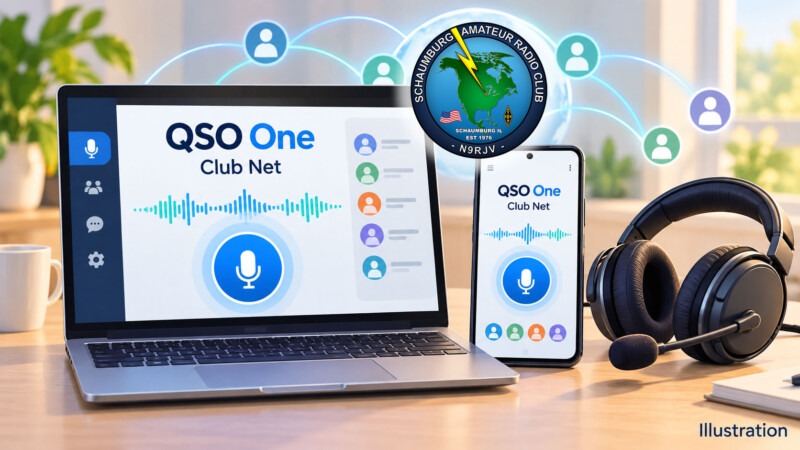
QSO One: Ham Radio Without the Hardware

Here is a practical operating idea for SARC members: try your next club net from a Windows computer or Android phone. QSO One brings several amateur radio voice networks into one free app, offering another way to stay involved when you are away from your station.[1]

Post idea from: Paul Burkett, KD9FMN.

Topic Snapshot

QSO One at a glance
Item Details
Subject Ham radio without the hardware.
Post idea Paul Burkett, KD9FMN.
Audience SARC members, visitors, new hams, the public, operators, and volunteers.
App cost Free; the developer accepts optional donations.[2]
Available platforms Windows 10 or 11, 64-bit; Android 8.0 or newer. iOS, macOS, and Linux are listed as coming soon.[3]
Basic needs A supported device, internet access, microphone and listening audio, a valid amateur radio license and callsign, and the credentials required by your chosen network.[2][3]
Official starting point Download QSO One.
Call to action Try QSO One on your next net.

What Does “Without the Hardware” Mean?

QSO is amateur radio shorthand for a contact or conversation. QSO One carries voice over the internet to supported amateur radio systems. The developer says you can use these connections without owning a Raspberry Pi node, radio interface, or digital hotspot.[1]

Your computer or phone handles your microphone and received audio. When the destination is connected to a repeater, your conversation can reach operators using radios. That makes a little preparation worthwhile: choose the correct destination, listen first, and check your audio before joining a busy net.

The website promotes setup in about five minutes. Treat that as an estimate. Network registration, license validation, and the destination’s access settings can add steps before your first contact.[1][5][6]

One App, Several Ways to Connect

These choices serve different networks. A node is a connection point. A talkgroup is a shared conversation group. A reflector distributes voice among connected stations.

Networks documented by QSO One[4]
Connection What it offers
AllStarLink Connections to voice nodes using Node Mode or Web Transceiver Mode.
EchoLink Connections to participating stations, repeaters, and conferences, with direct and proxy options.
IAX Direct A direct voice connection to an AllStar server using credentials its operator supplies.
DMR Digital Mobile Radio access through BrandMeister or TGIF, with talkgroup selection.
System Fusion Digital voice through Yaesu System Fusion (YSF) reflectors.
M17 An open digital voice system with reflector and module selection.

For a first SARC attempt, start with the club’s listed AllStarLink or EchoLink connection. Explore the other networks after you have a comfortable audio setup.

Get Your Accounts Ready

Start with Your Callsign

QSO One’s signup instructions use your email address and callsign. Its developer requires a valid amateur radio license to operate. Some networks also require their own account or identifier, such as a DMR ID.[2]

If you are visiting SARC and do not yet have a license, ask a member to demonstrate the app and explain the licensing path. You can learn the operating sequence before setting up your own account.

Choose the Correct AllStarLink Mode

Node Mode uses your own registered AllStarLink node number and credentials. WT Mode, short for Web Transceiver Mode, uses an AllStarLink portal account without requiring an assigned node number. The destination must permit that access method; some nodes disable WT connections.[4][5]

SARC’s node number identifies your destination. For Node Mode, enter the credentials for your own node, then select SARC as the station you want to reach.

Alternatively, IAX Direct needs a server address, port, username, password, and destination node number supplied or confirmed by the node operator. Ask whether SARC offers that option before configuring it.[7]

Complete EchoLink Validation

EchoLink requires proof of license before granting access. A QSO One account does not complete that separate validation. Follow the current EchoLink Validation instructions before your first net.[6]

Find SARC’s Connections

The SARC Repeaters page lists the following information. Check that page for updates and confirm that your intended internet connection is available before the net.[8]

SARC repeater and network information
System Published details How to use this information
K9IIK/R, 2-meter FM 145.230 MHz; −600 kHz offset; PL 107.2 Hz. These settings are for a radio. In the app, choose a listed internet connection below.
AllStarLink Node 27833. Select it as the destination after configuring your own access method.
EchoLink K9IIK-R, node 575848. Find this station using your validated EchoLink account.
70-centimeter FM / System Fusion 442.275 MHz; +5 MHz offset; PL 114.8 Hz; default WIRES-X room IL-K9IIK-ROOM / 40294. Ask the repeater team about any compatible YSF bridge before trying app access to this system.

PL is the repeater’s access tone; the offset describes the difference between its receive and transmit frequencies. Those are radio settings. App connections use network destinations and account details.

YSF and WIRES-X Need Separate Attention

QSO One documents System Fusion access through YSF reflectors. Yaesu distinguishes those reflectors from its WIRES-X network. SARC’s published WIRES-X room number therefore does not establish a QSO One connection to that room. Ask the repeater team whether a compatible bridge exists and which destination to select.[4][10]

How to Participate in Your First Net

A net is an organized on-air gathering. Net control guides the conversation and invites stations to check in.

  1. Install from the official source. Follow Download QSO One to the supported store or direct installer. Check current platform requirements before installing.[3]
  2. Prepare your accounts early. Complete the registrations and validation needed for the network you plan to use.
  3. Check the schedule. Use SARC Nets to confirm the time and any exceptions.
  4. Choose one SARC connection. Try AllStarLink node 27833 or EchoLink K9IIK-R, node 575848, when available.
  5. Check microphone and listening audio. A headset is a useful choice for keeping received sound out of your microphone. Arrange a brief audio check with another operator before the net.
  6. Listen before transmitting. Learn the check-in procedure and wait for an invitation or a suitable opening.
  7. Use push-to-talk carefully. PTT means push-to-talk. Activate it, pause briefly, give your callsign clearly, and release it when finished. Leave a pause between exchanges.
  8. Follow net control. Keep your first check-in short. Afterward, note what worked and ask for help with any remaining audio or connection issue.

For newer operators, SARC lists a Wednesday New Ham Net at 7:00 p.m. Central Time on the 2-meter repeater, with the same EchoLink and AllStarLink identifiers. The club also lists its Thursday net at 8:00 p.m. local time, except the third Thursday of the month. Confirm the current schedule before joining.[9]

flowchart TD
    accTitle: Preparing for a first SARC net with QSO One
    accDescr: Choose a supported device, prepare network credentials, and select a published SARC destination. If a connection fails, review access with the operator. After connecting, listen and check audio before checking in.
    A["Supported device and network credentials"] --> B["Select SARC AllStarLink or EchoLink destination"]
    B --> C{"Connection accepted?"}
    C -- "No" --> D["Review credentials and destination access"]
    D --> B
    C -- "Yes" --> E["Listen and arrange an audio check"]
    E --> F{"Audio clear?"}
    F -- "No" --> G["Adjust microphone or listening device"]
    G --> E
    F -- "Yes" --> H["Check in when net control invites"]
A practical sequence for your first connection and check-in.

If Something Does Not Work

First, identify where the problem occurs: signing in, connecting, hearing audio, or being heard. That gives the person helping you a useful starting point.

If an AllStarLink connection is refused, check your authentication mode and whether the destination permits it. For EchoLink, confirm validation is complete. For IAX Direct, confirm the operator-issued connection details.[5][6][7]

If you can hear others but they cannot hear you, check microphone permission, the selected input device, and PTT operation. Ask another operator for a short audio report when the channel is free.

Suggested SARC Goals

Small, useful goals for different participants
Participant Suggested goal Useful result
Newly licensed ham Prepare one connection and check in to the New Ham Net. Build confidence giving your callsign and following net control.
Experienced member Help one member complete setup and an audio check. Make another operator comfortable participating.
Member away from home Try a club connection before the scheduled net. Learn how your device and internet connection perform.
Net control operator Invite brief audio feedback for a first-time app user. Help the operator improve clarity and timing.
Public-service volunteer Practice concise check-ins using both your app and usual radio setup. Gain experience with different access paths.
Visitor or prospective ham Ask for a member-led demonstration. Understand the app, licensing, and club participation.

Give It a Try

Start small. Choose one network, prepare your credentials, and make one clear check-in. Then share what you learned with another SARC member.

Thanks to Paul Burkett, KD9FMN, for suggesting this operating idea. Visit QSO One, review SARC Repeaters, and confirm the time on SARC Nets.

Try QSO One on your next net.

Try QSO One on your next net.

References

  1. QSO One: Ham Radio Without the Hardware. One Free App. Publisher: QSO One. Accessed October 9, 2026. URL: https://qso1.net/. ↩
  2. QSO One Is Now Free: One App for AllStarLink, EchoLink, DMR, System Fusion, and M17. Publisher: QSO One. Published July 19, 2026. Accessed October 9, 2026. URL: https://qso1.net/updates/qso-one-is-now-free. ↩
  3. Get QSO One. Publisher: QSO One. Accessed October 9, 2026. URL: https://qso1.net/download. ↩
  4. Features. Publisher: QSO One. Accessed October 9, 2026. URL: https://qso1.net/features. ↩
  5. External Applications. Publisher: AllStarLink Manual. Accessed October 9, 2026. URL: https://allstarlink.github.io/user-guide/externalapps/. ↩
  6. Validation. Publisher: EchoLink. Accessed October 9, 2026. URL: https://www.echolink.org/validation/. ↩
  7. Connecting QSO One to a Node with IAX Direct. Publisher: QSO One. Accessed October 9, 2026. URL: https://qso1.net/guides/iax-direct. ↩
  8. Repeaters. Publisher: Schaumburg Amateur Radio Club. Accessed October 9, 2026. URL: https://www.n9rjv.org/repeaters/. ↩
  9. Nets. Publisher: Schaumburg Amateur Radio Club. Accessed October 9, 2026. URL: https://www.n9rjv.org/info/nets/. ↩
  10. FTM-300DR: Frequently Asked Questions on WIRES-X and Hotspots. Publisher: Yaesu. Accessed October 9, 2026. URL: https://www.yaesu.com/product-detail.aspx?CatName=Legacy&Model=FTM-300DR. ↩

October Ham Radio Station Guidance

Monthly focus: Put your fall antenna plans into practice, check station power under load, and use October operating events to learn how your station performs.

October gives Schaumburg Amateur Radio Club members a useful combination of station projects and on-air opportunities. Start with one improvement you can measure. Then make contacts, record the results, and decide what to tackle next.

This report continues our September ham radio station guidance. If you saved antenna sweeps or voltage readings last month, bring them out now. If you are just getting started, October is a good time to create your first station record.

Prepared October 7, 2026. Space-weather forecasts are dated snapshots. Check the linked official sources for updates before operating or planning an event.

1. October Space Weather: Keep the Forecast in Perspective

NOAA’s three-day forecast issued October 7 at 1230 UTC anticipates minor to moderate geomagnetic storms on October 9 following a coronal mass ejection, or CME, from October 6. A CME is an eruption of solar material that can disturb Earth’s magnetic environment.

The same forecast gives a 45% daily chance of minor to moderate radio blackouts through October 9. These are probabilities, not guaranteed outages. Read the latest NOAA three-day space-weather forecast.

NOAA explains that moderate geomagnetic storms can cause HF signals to fade at higher latitudes, while flare-related radio blackouts affect the sunlit side of Earth. Before changing an antenna because distant stations disappear, check the NOAA space-weather scales.

The October 5 27-day outlook places predicted 10.7-centimeter solar radio flux around 105–110 during October 15–20. Treat this as a reason to check the higher bands, not a promise of openings. Its October 9 geomagnetic prediction is already superseded by the newer three-day forecast.

2. Build an October Band Plan

Use this as a starting operating plan rather than a fixed schedule. HF means high frequency; DX means distant contacts.

Band What to try Station priority
80 meters Evening regional contacts Confirm your antenna covers the frequencies you use
40 meters Regional daytime work and evening DX Make this a dependable fall operating band
20 meters Daytime DX; check again near sunset Keep a repeatable daytime reference
15 and 10 meters Daytime openings when conditions support them Keep usable antennas available
2 meters and 70 centimeters Local contacts and repeater operation Verify memories, feed lines, and backup power

Propagation depends on the path, time, ionosphere, and solar conditions. Try several bands before deciding that the station needs repair. Explore ARRL’s radio propagation resources for the underlying principles.

3. Finish Your 40- and 80-Meter Antenna Work

A half-wave dipole is a straightforward project. ARRL gives this construction starting formula:

Total length in feet = 468 ÷ frequency in MHz.

Band Example design frequency Total starting length Each side
80 meters 3.850 MHz 121.6 ft 60.8 ft
40 meters 7.200 MHz 65.0 ft 32.5 ft
20 meters 14.250 MHz 32.8 ft 16.4 ft
15 meters 21.300 MHz 22.0 ft 11.0 ft
10 meters 28.400 MHz 16.5 ft 8.2 ft

These calculated lengths are rounded examples for voice-oriented designs, not final cutting dimensions or reserved operating frequencies. Choose your own center frequency, leave trimming allowance, and measure the antenna in its installed position. See ARRL’s dipole construction guide.

For 80 meters, measure both your digital and voice operating areas. One low standing wave ratio, or SWR, reading does not establish coverage across the entire band. Transmit only within your license privileges and permitted modes.

4. Recheck a Fan Dipole After Adjustments

A fan dipole uses several wire pairs connected to a common feedpoint. For an existing installation, make one adjustment at a time and save a sweep before and after it.

A practical tuning sequence is to start with the lowest-frequency element, work upward, and then recheck every band. Nearby elements can interact. If an adjustment improves one band but shifts another, your records will show the tradeoff.

5. Give Vertical Antennas a Ground-System Check

For a ground-mounted quarter-wave vertical, inspect radial connections and repair broken wires. Radials provide the antenna’s RF return path; a ground rod alone can have substantial RF resistance.

Do not use a universal radial count to judge every vertical. Ground-mounted and elevated designs have different requirements. Follow the antenna’s design instructions and review ARRL’s explanation of RF grounds and radials.

6. Inspect Supports and Outdoor Connections

Choose a dry, calm day for an accessible inspection. Look for damaged coax jackets, loose strain relief, deteriorated connector seals, and supports that rub against wire or cable.

Photograph anything questionable before disturbing it. Then repair one item and repeat the measurement. That approach helps connect a change in performance to a specific repair.

Keep antennas and supports clear of power lines, including where they could fall. Leave climbing and unsafe access work to qualified help.

7. Check DC Power at the Equipment

Use the radio manufacturer’s specifications when selecting the supply, wiring, connectors, and protection. As one example, Kenwood lists a transmit current drain of 20.5 amps or less for the TS-590SG. See the manufacturer’s TS-590SG specifications.

With power disconnected, inspect crimps, fuse holders, cable insulation, and polarity labels. Avoid choosing wire size from transmitter wattage alone; cable length and allowable voltage drop also matter.

8. Record Voltage During Transmit

Measure at the radio’s DC input using a safe connection method. Record receive voltage and transmit voltage at your normal power. Use a properly rated dummy load for controlled tests, and follow equipment duty-cycle limits.

For example, suppose the supply remains at 13.8 volts but the radio receives 12.8 volts while drawing 20 amps. The one-volt drop corresponds to:

Resistance = 1 V ÷ 20 A = 0.05 ohm.
Heat loss = 20 A × 1 V = 20 watts.

That is a calculated example, not a measurement of your station. Check each part of the power path to locate the loss.

9. Exercise Backup Power Before You Need It

Run a planned battery test with the equipment you expect to use. Record the operating time, receive and transmit voltage, and whether any device resets.

Check source-side fuse protection and the battery’s permitted discharge current. A battery management system does not replace appropriate cable protection.

Follow the battery manufacturer’s charging and temperature limits. For example, Bioenno advises against using lead-acid chargers for its lithium iron phosphate batteries. Review the Bioenno battery and charger guidance, or the instructions for your own battery.

10. Make October SWR Readings Repeatable

First, disconnect the transmitter from the analyzer’s measurement path and bypass the tuner. Keep the same feed line, adapters, and measurement point when comparing results.

Record Purpose
Date, weather, and antenna position Document the test conditions
SWR at your operating frequencies Compare the match where you actually operate
Frequency of minimum SWR Track movement in the matching curve
Resistance and reactance, if available Keep more detail than SWR alone
Calibration point and cable arrangement Make the next test comparable

A saved trace with clear notes is more useful than an isolated meter reading.

11. Understand What the Tuner Changes

A tuner in the shack can give the radio a suitable match while leaving the antenna-side feed line mismatched. It does not automatically remove that line’s losses or improve antenna efficiency.

ARRL explains this distinction in its guide to antenna tuner operation. Measure the untuned system for diagnostics, then evaluate the tuned system for operation. A stable match within your radio’s limits is a useful goal; a perfect meter reading is not the only measure of success.

12. Use a Focused Analyzer Sweep

On a NanoVNA, select the frequency range first. For a reflection measurement, calibrate with open, short, and 50-ohm load standards at the point where the device under test will connect. Include your test jumper in that calibration when measuring at its far end.

Verify the calibration with a known load, then connect the antenna system. Sweep the band of interest rather than trying to read a small feature on a very wide display.

Follow the procedures for your particular instrument. The NanoVNA calibration instructions and NanoVNA V2 manual explain their respective calibration workflows.

13. Investigate Changes Before Trimming Wire

Observation What to investigate
Matching curve moves after rain Moisture, wet surroundings, and connector sealing
Reading changes when coax moves Loose connections or common-mode current
SWR rises during transmission Heating, intermittent connections, and power handling
Signals weaken but SWR is unchanged Propagation, noise, losses, and receiver settings

These are troubleshooting leads, not diagnoses. For a simple dipole, a lower-than-desired matching minimum can suggest excess electrical length, but verify the measurement and installation before cutting.

A known-good load at the antenna end can help test the feed line. However, low SWR alone cannot prove low cable loss; a lossy cable can hide a mismatch.

14. Watch for RF on Station Cables

If transmitting causes computer disconnects or other interference, investigate whether RF current is flowing on cable exteriors. A suitable current choke can help control that current.

ARRL discusses choke baluns for dipole installations in its station grounding guidance. Select a choke for the bands and power involved. Adding an arbitrary ground wire is not a substitute for understanding the current path.

15. Check Receive Noise Before Adding Seasonal Lighting

Save a receive-noise reference before connecting new lights, chargers, or other electronics. Some lighting equipment can cause radio frequency interference, or RFI, as described in ARRL’s lighting interference resources.

If noise appears, switch suspected devices off and on individually and record what changes. Keep receiver settings consistent so the comparison means something.

16. Keep the Local Station Ready, Too

Give VHF and UHF equipment the same attention as HF. Test handheld batteries, confirm programmed settings, and check local communication from the places where you normally operate.

Also inspect grounding, bonding, cable-entry hardware, and surge protection. Electrical safety, lightning protection, and RF-current control serve different purposes. Use ARRL’s lightning-protection resourcesand qualified guidance for installation work.

If you change antenna placement, power, or operating duty cycle, review your station’s RF exposure assessment.

17. October 2026 On-Air Opportunities

Event Verified dates What to try
JOTA-JOTI October 16–18 Explore radio and Scouting outreach
Illinois QSO Party October 18 Put your Illinois station on the air; check current rules for hours and exchanges
School Club Roundup October 19–23; 8:00 a.m. Monday to 6:59 p.m. Friday CDT Make contacts with school stations
CQ World Wide DX Contest, SSB October 24–25 UTC; locally, October 23 at 7:00 p.m. through October 25 at 6:59 p.m. CDT Practice voice DX and accurate logging

CDT is Central Daylight Time, the Chicago-area time zone for these dates. SSB means single sideband, a common voice mode. JOTA-JOTI combines Jamboree on the Air and Jamboree on the Internet.

These are operating opportunities, not announcements of organized SARC participation. Check each organizer’s current information before making plans.

18. Participate with a Simple Operating Goal

Choose one event and a goal you can finish: make a few contacts, try a second band, or learn a new logging workflow. Listen to several exchanges before calling.

For CQ WW SSB, the exchange is a signal report and the CQ zone of your transmitter location. Its six contest bands exclude 30, 17, and 12 meters. The 2026 SSB log deadline is October 27 at 2359 UTC, or 6:59 p.m. CDT. Read the current CQ WW rules, including entry categories and assistance restrictions.

School Club Roundup welcomes individuals and non-school clubs. Its exchange includes call sign, signal report, entry class, and location. See the School Club Roundup operating rules; its full exchange requires more information than a standard FT8 contact provides.

October Operating Plan

Period Suggested focus
October 7–11 Save antenna and voltage references; check updated space weather before judging DX performance
October 12–18 Finish accessible repairs; prepare for JOTA-JOTI or the Illinois QSO Party
October 19–25 Try School Club Roundup or CQ WW; compare operation across available bands
October 26–31 Submit logs promptly, review results, and finish backup-power checks

October Priority Checklist

  • Compare October antenna measurements with your September records.
  • Check your actual operating frequencies on 40 and 80 meters.
  • Keep higher-band antennas ready for openings.
  • Inspect accessible supports and outdoor cable connections.
  • Measure radio-input voltage during transmit.
  • Complete one documented backup-power exercise.
  • Save receive-noise references and analyzer traces.
  • Choose one October operating event and review its rules.
  • Record what worked, what changed, and what needs attention.

Bring Your Results to SARC

You do not need an elaborate station to participate. Bring a station sketch, an analyzer screenshot, a voltage reading, or a question to a SARC monthly club meeting. Visitors are welcome; check the meeting page for current details.

New to the hobby? Explore SARC membership and ways to get involved.

Make one measurable improvement. Put it on the air. Share what you learn. That is a useful October goal for a first station or a longtime operator.
Belvidere Hamfest 2026: SARC Members, Selling Tables, and Radio Conversation

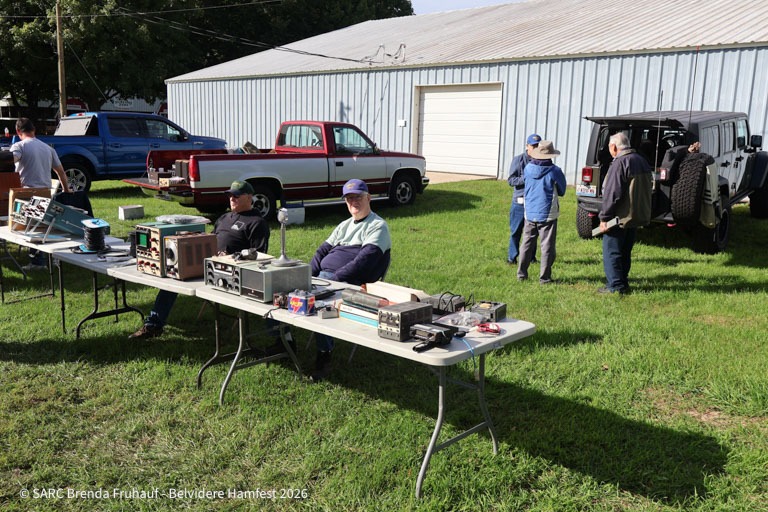
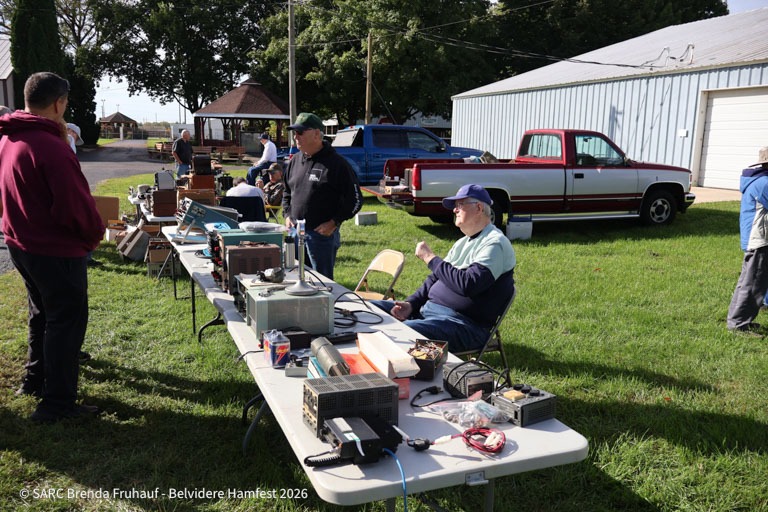
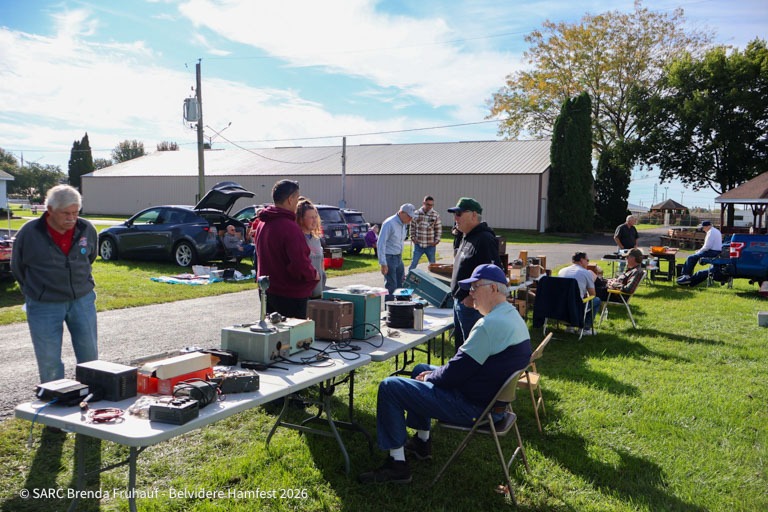
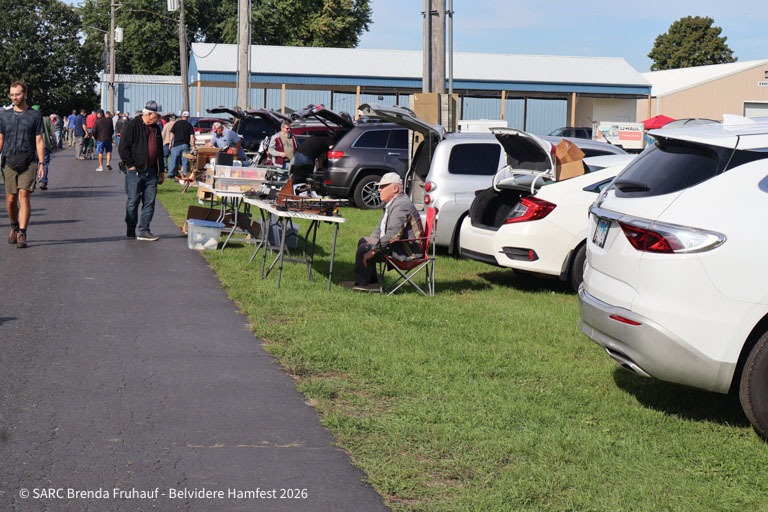
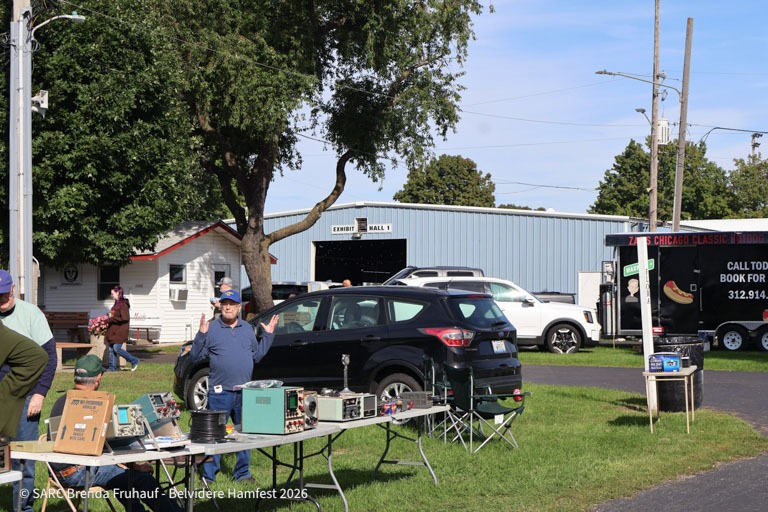
Here is a look back at SARC members and their selling table at Belvidere Hamfest 2026. For the Schaumburg Amateur Radio Club, N9RJV, a hamfest is a chance to share an interest in radio, look over equipment, and spend time together away from the microphone.

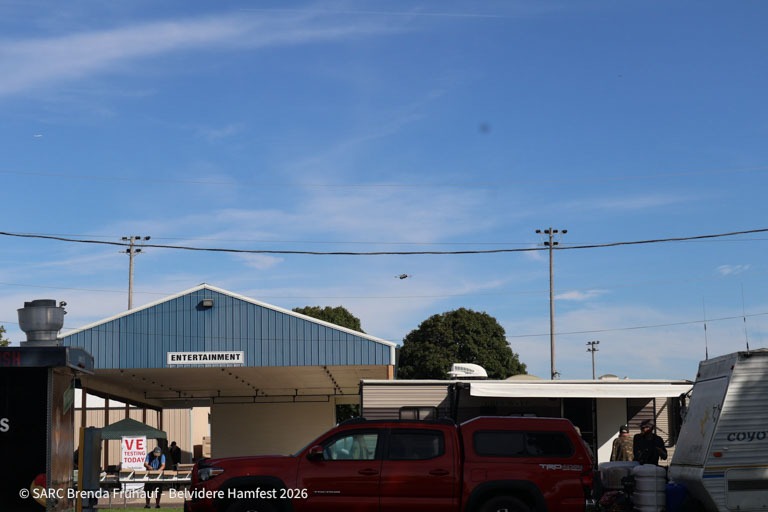
The event, officially named Radio Expo 2026, took place on Sunday, September 27, at Boone County Fairgrounds in Belvidere, Illinois. Chicago FM Club published the event information and organized the hamfest.[1][2]

Event Snapshot

Belvidere Hamfest 2026 and SARC participation
Item Details
Event Belvidere Hamfest / Radio Expo 2026
Date Sunday, September 27, 2026
Location Boone County Fairgrounds, 8791 Illinois Route 76, Belvidere, Illinois 61008
Hamfest organizer Chicago FM Club
SARC participation Club members and a selling table
Post idea Brenda Fruhauf – KE9GGM
SARC organizer Paul Meyes – KE9EJX
Who this recap is for Members, visitors, new hams, operators, volunteers, and anyone curious about amateur radio

The date, location, and hamfest organizer above are documented in the official event announcement and Radio Expo 2026 flyer. SARC participation and contributor details accompany this club recap.

A Look Around the Selling Tables

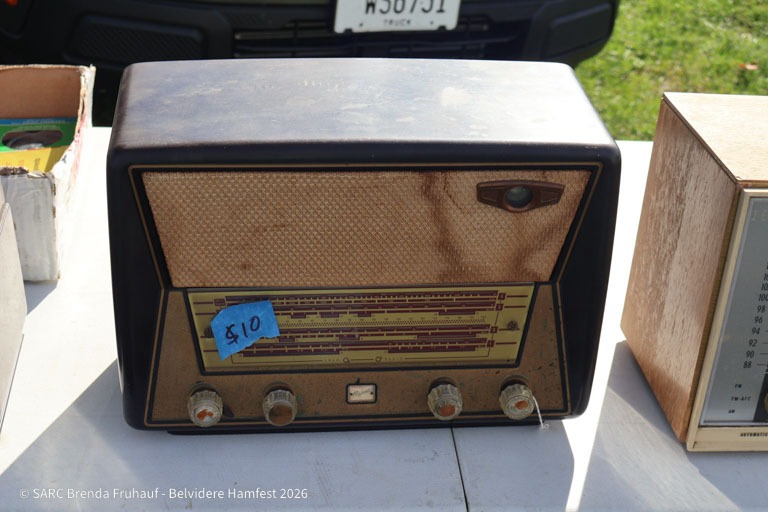
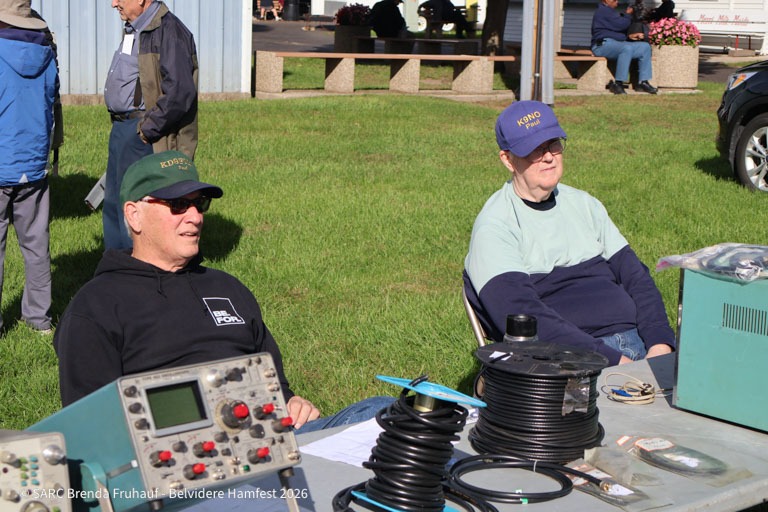
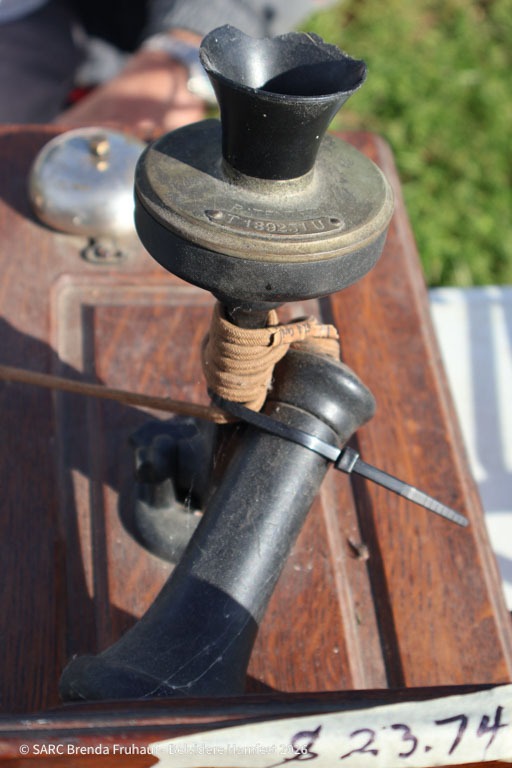
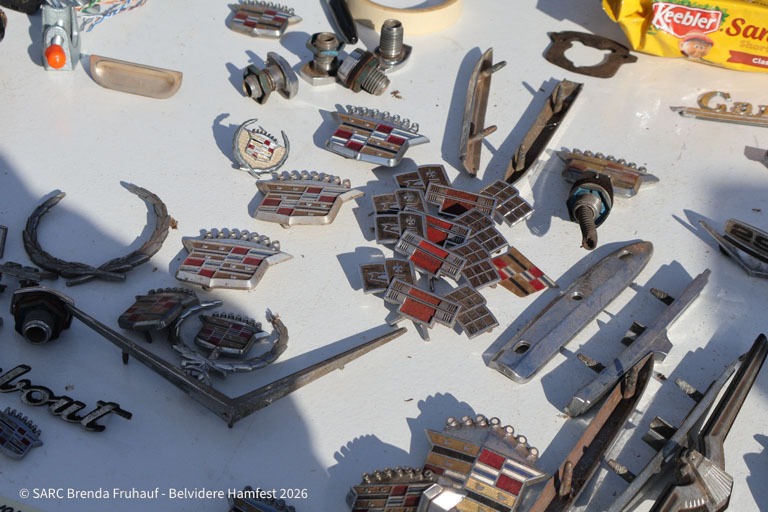
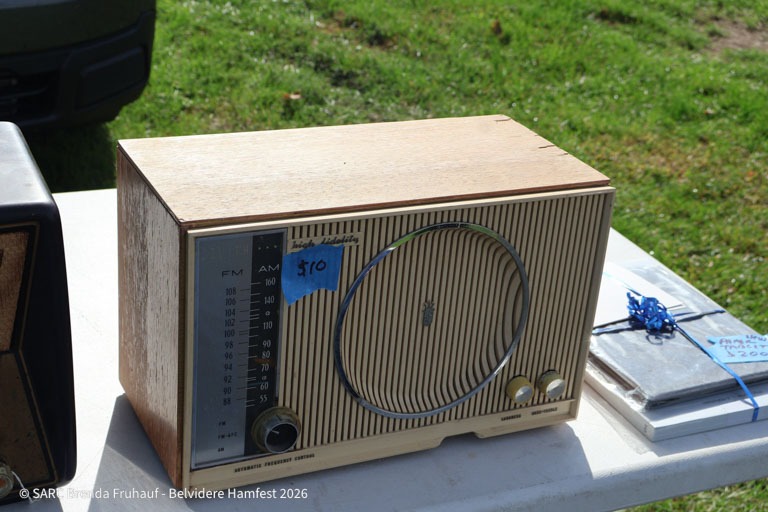
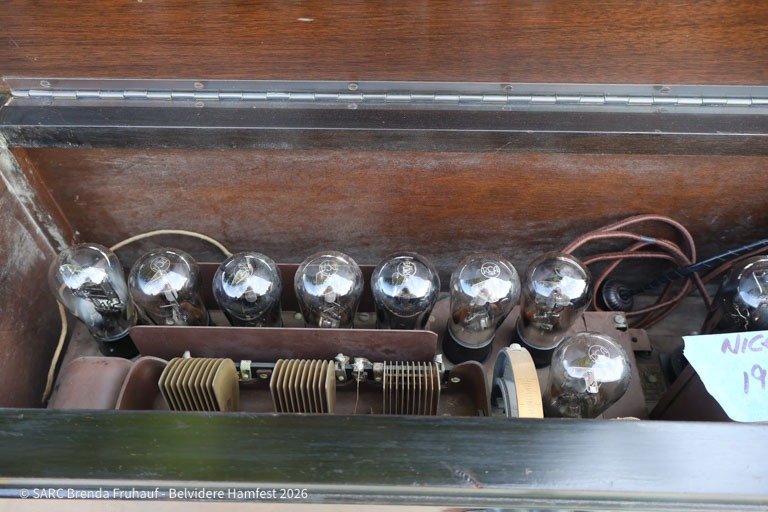
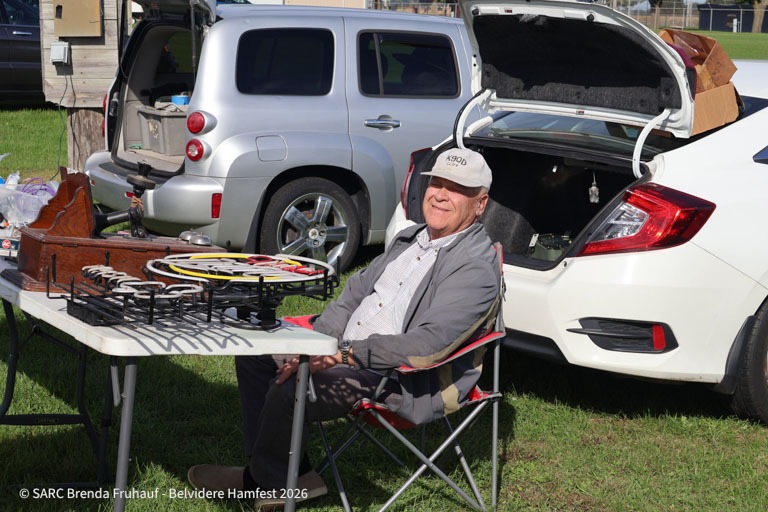
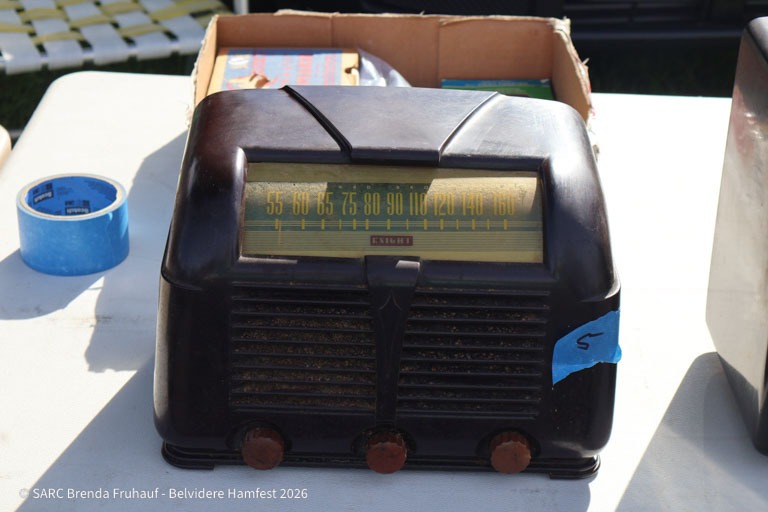
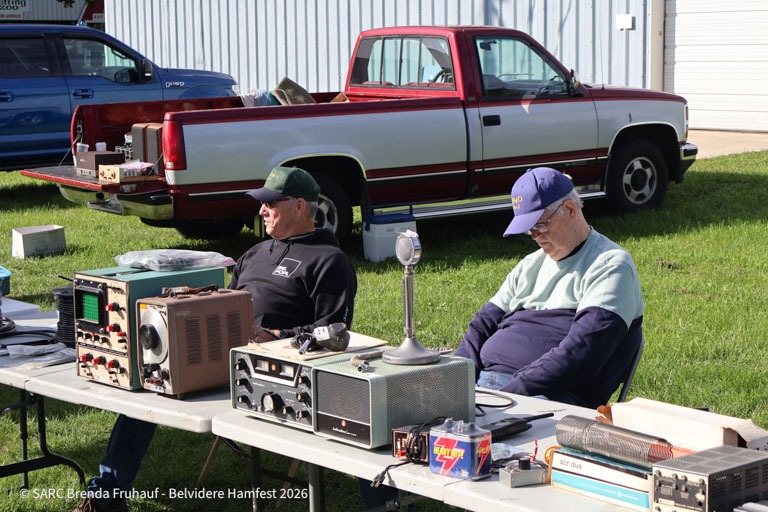
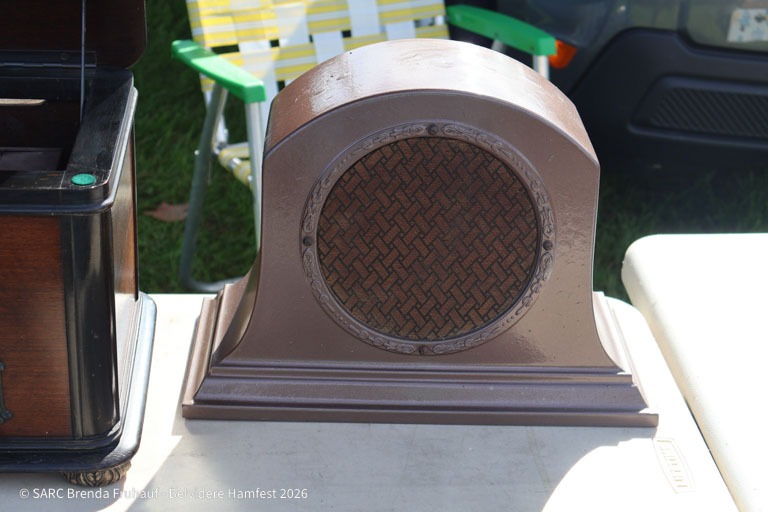
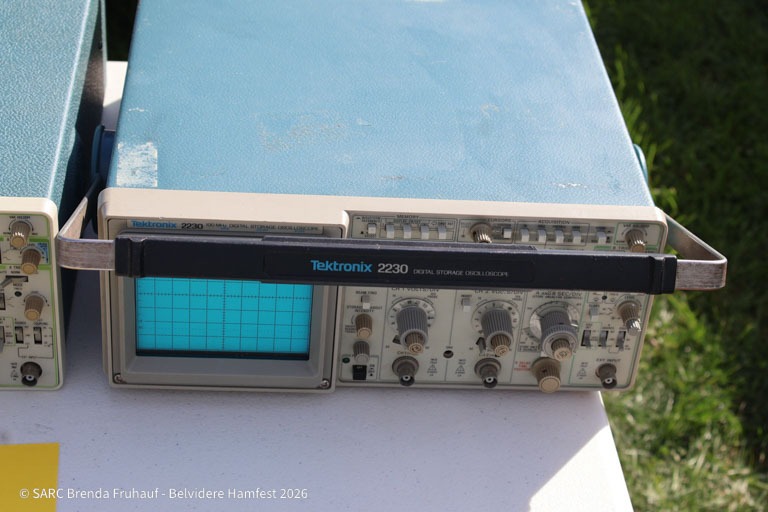
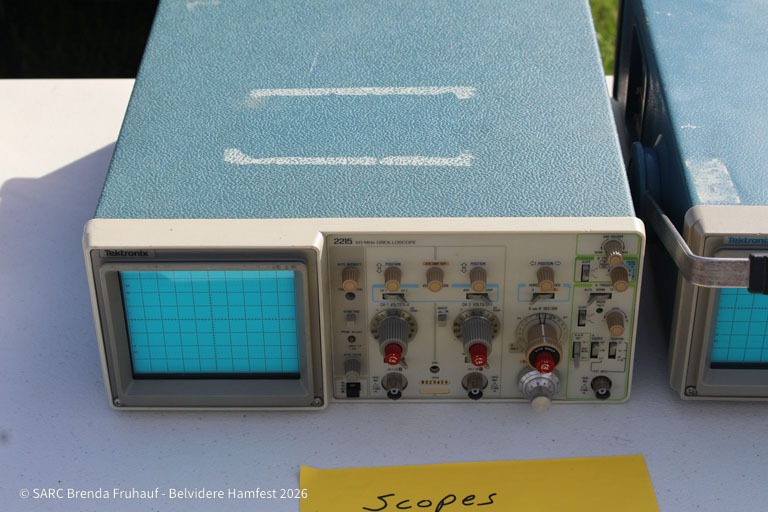
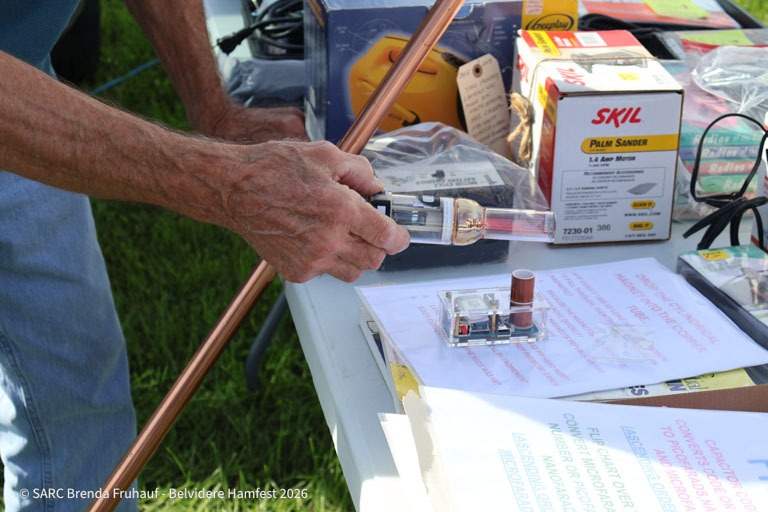
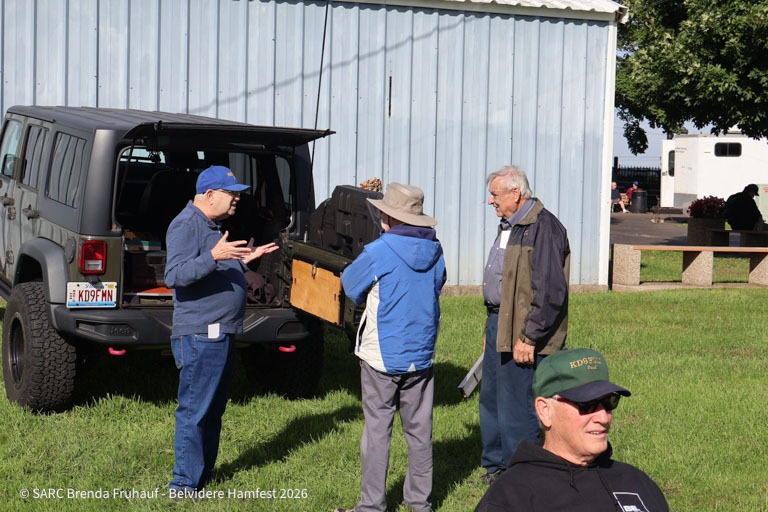
Brenda’s photographs show folding tables set up beside vehicles, with radios, microphones, coiled cable, electronic parts, and test equipment on display. Other views show people talking beside the tables and taking a moment to sit together.


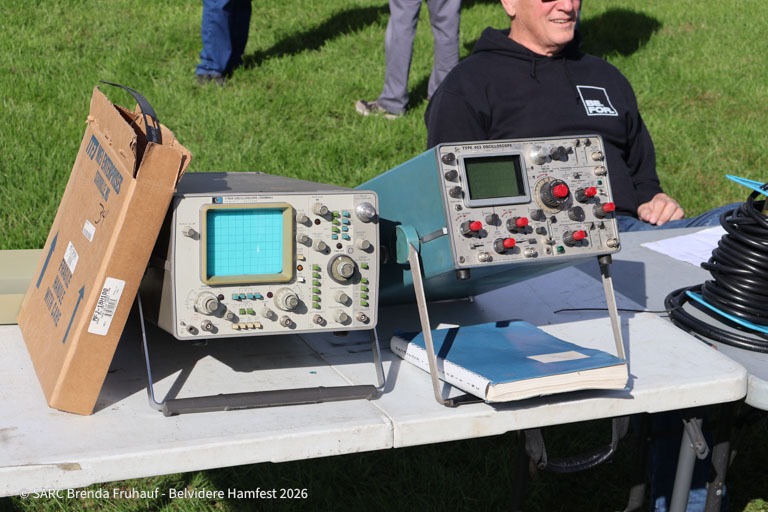
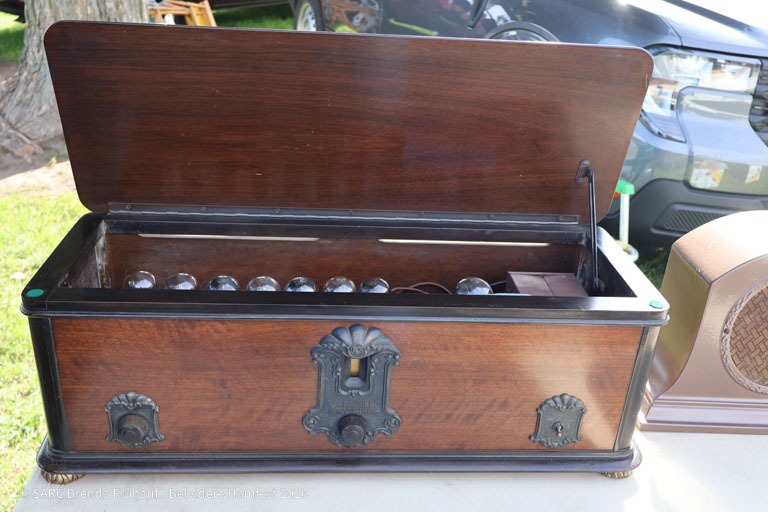
There is plenty for a curious visitor to notice. Older radio equipment sits alongside smaller accessories and components. A closer photograph highlights two oscilloscopes among the items on display.

For a newer ham, a table like this offers a useful starting point: ask what an unfamiliar item does, how it connects to a station, or what to check before buying one. Meanwhile, an experienced operator can help explain the differences between equipment that is ready to use and equipment intended for a repair project.

Photo credit: SARC / Brenda Fruhauf – KE9GGM. The supplied photographs are marked “SARC Brenda Fruhauf – Belvidere Hamfest 2026.”

What Is a Hamfest?

A hamfest is a gathering for people interested in amateur radio, also called ham radio. The American Radio Relay League, or ARRL, describes hamfests as events that can include exhibits, educational sessions, and flea markets.[3]

For this event, the Radio Expo flyer advertised an indoor market, an outdoor flea market, radios, computers, electronics, and amateur radio license testing.[2] That mix gives visitors several ways to explore the hobby, whether they are looking for a particular part or simply learning what equipment is available.

Just as useful, a hamfest gives you a reason to start a conversation. A question about a microphone, an unfamiliar connector, or an older radio can lead to a practical explanation you can use at home.

Make Your Next Hamfest Visit Useful

Belvidere’s 2026 event has concluded. For a future outing, use these suggestions to plan your visit, and check the event organizer’s current announcement for dates, admission, seller arrangements, and testing details.

If You Are Browsing or Buying

  • Bring a short list. Note the parts you need, the model of your radio, and any connector details.
  • Set a budget. Leave room for missing cables, accessories, or repairs.
  • Ask about condition. Find out what was tested, what is included, and whether any faults are known.
  • Ask before handling equipment. Request a demonstration when one is available.
  • Bring a fellow member. A second opinion can help you decide whether an item fits your plans.

If You Would Like to Sell or Volunteer

  • Coordinate first. Before bringing items to a future shared SARC table, ask whether table space and helpers are being arranged.
  • Label equipment clearly. Include the owner, asking price, included accessories, and known condition. Mark untested items as untested.
  • Bring useful paperwork. Manuals and a brief description can help someone understand an unfamiliar item.
  • Plan for the day. Bring water, suitable clothing, packing materials, and a chair if permitted.
  • Offer a specific kind of help. Setup, greeting visitors, table coverage, and packing are useful tasks to discuss with the coordinator.

Suggested SARC Goals

Ideas for a future hamfest outing
Member or visitor Suggested goal A practical next step
New ham Learn to evaluate one type of equipment. Ask an experienced member to explain what to check before buying.
Experienced operator Share useful station knowledge. Help a newer ham compare an item with their actual operating needs.
Builder or experimenter Find parts for a defined project. Bring a parts list with required values, dimensions, or connector types.
Seller Help buyers make informed choices. Prepare clear labels and describe known faults honestly.
Volunteer Help a shared table run smoothly. Agree on one task and a time to help.
Visitor or prospective member Discover one part of amateur radio that interests you. Introduce yourself and bring that interest to a SARC meeting.

Give It a Try

Thank you to the SARC members who took part in Belvidere Hamfest 2026, to Brenda Fruhauf – KE9GGM for the post idea and photographs, and to Paul Meyes – KE9EJX for organizing SARC’s participation.

If you attended, share a favorite find, a useful conversation, or something you learned. If you missed it, bring your questions to a club meeting and ask about joining a future outing.

Start with a visit to SARC. Club meetings are open to everyone; you do not need to be a member or a licensed amateur radio operator.[4] Check the current meeting details, bring your curiosity, and come meet the people behind the call signs.

Visit a SARC meeting, share your hamfest finds, and ask about taking part in a future club outing.

References

  1. Radio Expo 2026. Chicago FM Club. Official event announcement with the date and venue.
    ↩
  2. Radio Expo 2026 Event Flyer. Chicago FM Club. Organizer information and advertised markets, equipment categories, and license testing.
    ↩
    ↩
  3. Hamfests and Conventions Calendar. ARRL, The National Association for Amateur Radio. Background on hamfests and a directory for finding future events.
    ↩
  4. Monthly Club Meetings. Schaumburg Amateur Radio Club. Meeting information and confirmation that visitors are welcome.
    ↩

Active and Upcoming DX Expeditions: A SARC Operating Guide

Here is a fun operating idea for SARC members: choose a distant station, spend some time listening, and try making a contact. This guide brings together the DXpedition list shared for the Schaumburg Amateur Radio Club, N9RJV, with updates and practical tips for operators, visitors, and newer hams.A DXpedition is a trip made by amateur radio operators to put a distant or less frequently heard location on the air. DX means distance. These operations offer a useful reason to practice listening, learn your radio, and explore the world through amateur radio.[1]

Topic Snapshot

About this SARC operating guide
Subject Active and upcoming DX expeditions
Post idea from Mariusz Szpryngacz – AD9DU
Organizer for this SARC information page Paul Meyes – KE9EJX
Audience Members, visitors, new hams, the public, operators, and volunteers
Source list HF DXpeditions — Active & Upcoming, compiled September 24, 2026; supplied for this article
Page update September 28, 2026; a dated planning guide, not a live activity feed
Coverage All 17 entries from the supplied list, including completed or postponed operations and two planning items for 2027
First step Choose one station, check its latest announcement, and listen before calling.

Read the Schedule Before You Tune

Dates describe announced operating windows, not continuous activity. Travel, weather, equipment, and local conditions can change a plan. Check the team’s official page or the operator’s latest announcement before setting aside operating time. A station listed here may be off the air when you listen.

The tables retain the supplied list’s destinations, operating plans, and QSL information, with changes identified where sources differ. All dates are in 2026 unless 2027 is specifically shown. “Holiday-style” means operating when the visitor has time. “QSL” means confirmation of a radio contact.

Active or Scheduled Within the Current Window

Late-September operating opportunities
Station and destination Announced dates Bands and modes Operating notes and QSL
5W0AF
Samoa
September 21–October 12 40–10 meters; SSB. Possible 80-meter activity is uncertain. Jacek, SP5EAQ, reported operating at 100 watts after an amplifier failure. A loan amplifier was expected from September 28; check for confirmation. QSL through SP7DQR’s OQRS, the bureau, or LoTW.[2]
C21DA
Nauru / Naoero
Through October 5 80, 40, 20, 17, 15, 12, and 10 meters; SSB only Darren’s holiday-style operation from Meneng District. The supplied list and an operator-news heading say VK2MAP, while the announcement’s QSL instructions specify VK4MAP. Use the current C21DA instructions when requesting confirmation.[3]
JD1BON, JD1BOI, JE1NVD/JD1, JI1CRM/JD1
Chichijima, Ogasawara; IOTA AS-031
September 24–October 6 160–6 meters; CW, SSB, FT8, and FT4 The supplied list and 425 DX News identify JI1LET as JD1BOI; NG3K lists JD1BOK. Confirm the call actually transmitted. QSL routes vary by operator: check LoTW availability and direct-to-home-call instructions.[4][5]
FR/F1TEQ, then FH/F1TEQ
Réunion, then Mayotte
Réunion: September 19–26
Mayotte: September 26–30
20, 15, and 10 meters; SSB Ludovic, F1TEQ, plans spare-time operation. The Réunion window has passed; Mayotte is the remaining scheduled opportunity. Check F1TEQ’s QRZ page for updates and QSL instructions.[4]
VK1AX
Deal Island, Australia; IOTA OC-195
Through late November 80–10 meters; FT8 and some SSB John, VK1AX, operates in his spare time. The supplied list does not specify a QSL route; confirm it with the operator.[4]
V5/HB9SHD
Namibia
September 28–November 20 HF; specific modes not stated in the supplied announcement Remo, HB9SHD, plans holiday-style activity using an FT-891, tuner, end-fed antenna, and JPC-12 vertical. Confirm that operation has begun and check the operator’s QSL instructions.[6]

Upcoming DX Expeditions

Next, consider adding one or two of these operations to your watch list. The larger team operations may offer several bands and modes, while a single visiting operator may have shorter operating periods.

Announced operations for the rest of 2026
Station and destination Announced dates Bands and modes Operating notes and QSL
9T0MD
Democratic Republic of the Congo
September 30–October 11; an official-site listing also gives October 10 as the end date 160–6 meters; SSB, CW, FT8, and RTTY. The supplied list also includes QO-100 and EME. Mediterraneo DX Club team. Check its current frequency plan, specialty-mode plans, and final operating day. The supplied list describes the 9T prefix as a first-time activation; confirm that historical claim with the team. Follow the official QSL policy; IK2VUC is the listed log manager.[7][8]
V61GSE
Weno Island, Chuuk, Micronesia; IOTA OC-011
October 1–7 80–6 meters; FT8, SSB, and CW Takeo, JR1GSE, plans holiday-style activity with an inverted-V antenna. QSL through LoTW, eQSL, or Club Log OQRS.[9]
YJ1JXZ
Port Vila, Vanuatu
October 11–16 80–6 meters; modes not specified in the announcement Aki, JK1JXZ, expects to operate after 5 p.m. Vanuatu local time on weekdays and throughout the weekend portion of his stay. These are destination times, not Chicago times. QSL through LoTW.[10]
6W/I2YSB and 6W/IK2HKT
Senegal
October 28–November 9 160–6 meters; CW, SSB, and RTTY as 6W/I2YSB; FT8 as 6W/IK2HKT Italian DXpedition Team operation. The announcement gives direct QSL via I2YSB. Consult the team’s site for its band plan, log, and request options.[4][11]
C8K
Mozambique
November 9–20 travel window
Full operation planned November 12–18
160–6 meters, including 60 meters; SSB, CW, RTTY, FT8, FT4, and PSK; QO-100 also planned Eight-operator Czech team with a low-band focus. Setup and packing days have limited activity. QSL via OK6DJ, OQRS, and LoTW.[12]
3X4U
Lac de Koba, Guinea
November 11–23 in the supplied list and UBA announcement HF; emphasis on CW and SSB. The supplied list describes 1 kW stations. Belgian Rockall DX Group. Some notices give a wider November 10–24 window, so verify the operating dates with the team. QSL via M0URX’s OQRS.[13]
VK9XY
Christmas Island; IOTA OC-002
November 16–December 4 CW, SSB, and FT8; QO-100 also planned. Check the team’s band plan. Pacific Islands DXpedition Group youth project with experienced mentors and Youth on the Air involvement. QSL requests go through M0OXO; see the team’s policy for direct, bureau, and LoTW options.[14][15]

Looking Ahead to 2027

Longer-range planning items
Station and destination Planning window What to watch
VP8TOG
Falkland Islands
January 10–17, 2027 Santiago, LU2DUR, has announced a single-operator visit. SSB is the main focus, with FT8 secondary; 10, 15, 20, 40, and possibly 80 meters are under consideration. His license extends to March 22, 2027, but that is not the announced operating end date. Equipment, locations, and QSL arrangements remain subject to updates.[16]
VU4 project
Andaman Islands; IOTA AS-001
October 25–November 7, 2027, according to the supplied list Planning watch: current official details were not independently reconfirmed for this update. The supplied plan lists 160–10 meters, including the 30-, 17-, and 12-meter WARC bands, all modes, and participation in the CQ World Wide SSB contest. VU4 is a prefix, not a complete expedition call sign. Check World DXpeditions for the final call, dates, modes, and QSL policy.[17]

Updates to the Original Active List

Two entries should no longer be treated as current operating opportunities. They remain here so readers can reconcile this page with the supplied September list.

Completed or postponed operations
Station Original listing Updated status
RI1FJZ
Franz Josef Land
Final days in late September; remaining antennas on 160, 80, and 40 meters. Earlier sources differed between September 25 and 29. Ended operations. The departure report and subsequent team summary confirm the return voyage. Check the expedition’s log and QSL instructions rather than continuing to expect island activity.[18]
PS1A
Algodão Island, Brazil; IOTA SA-029
September 24–26; PY4YY and PY2AE; 80–10 meters, CW, SSB, and FT8; Club Log / LoTW Reported postponed. The originally announced dates have passed. Watch for a replacement announcement; a completed operation should not be assumed.[19]

A Few Terms You Will See

These short definitions will help you read the tables. ARRL’s glossary and LoTW guide provide more background.[21][22]

HF and band labels
HF means high frequency. Labels such as “20 meters” name amateur bands. A range such as “160–6 meters” includes bands outside HF and does not promise activity on every band.
SSB, CW, and digital modes
SSB means single sideband voice. CW is Morse-code operation. FT8 and FT4 exchange short digital messages; RTTY means radioteletype, and PSK means phase-shift keying.
QSO and QSL
A QSO is a radio contact. A QSL confirms it. LoTW is ARRL’s Logbook of The World; OQRS means Online QSL Request System. Club Log may provide log searches or QSL requests, depending on the operation.
IOTA and WARC
IOTA means Islands On The Air; codes such as AS-031 identify island groups. The WARC bands commonly mean 30, 17, and 12 meters.
QO-100 and EME
QO-100 is an amateur satellite. EME means Earth–Moon–Earth, or moonbounce. These require suitable equipment and operating conditions; they are separate from ordinary HF contacts.

How to Participate

Choose One Station and Prepare

Start with a station using a band and mode your equipment supports. Have your radio manual, headphones, a notebook or logging program, and a current amateur band chart nearby. For digital operation, also have the appropriate software instructions available.

Before transmitting, check the frequency and mode privileges for your license. An expedition’s international band plan does not change U.S. operating privileges. Visitors without a license can begin by listening and asking an experienced member to explain what is happening.[20]

Listen First, Then Make a Short Call

A pileup is a group of stations calling the same operator. Listen for the expedition’s full call sign, whom it is answering, and where it wants callers to transmit. If it is working split, its transmit and receive frequencies are different. Check your own transmit frequency before calling.[1]
  1. Hear or decode the expedition yourself before calling.
  2. Follow its instructions, including any request for a particular region or partial call sign.
  3. Send your full call sign clearly, then listen.
  4. Wait while the operator finishes another contact.
  5. When answered, provide the requested exchange and confirm that your call was copied correctly.

For FT8 or FT4, follow the team’s current software and operating-mode instructions. Do not assume every expedition uses the same digital configuration.

Log the Contact and Check Later

Record the call sign, date, UTC time, band, mode, and reports exchanged. UTC means Coordinated Universal Time; use it consistently rather than mixing it with Chicago local time.

Next, check the expedition’s online log when available. Allow for upload delays, and follow its correction process if something is missing. Use the stated QSL route before sending a card or requesting confirmation.

Suggested SARC Goals

These are suggested personal and club-learning goals, not scheduled SARC events.

Pick a goal that fits your experience
Member or visitor type Suggested goal Useful result
Visitor or prospective ham Listen with an experienced operator and identify one expedition’s call sign. Learn what a real DX exchange sounds like.
Newly licensed operator Choose one permitted band and mode, then practice listening and making a clear call. Build confidence with the radio and operating procedure.
Operator with a modest station Try several short listening sessions and record when the signal becomes readable. Learn which conditions work for your station.
Digital-mode operator Verify the team’s settings and complete one correctly logged contact. Practice disciplined operation and confirmation.
Experienced DX operator Help another member understand split operation or review a difficult contact. Share a skill that makes the next attempt easier.
Volunteer or mentor Suggest a listening demonstration or share a concise operating report. Give members and visitors a practical way to learn together.

Give It a Try

You do not need to work every expedition to enjoy this part of amateur radio. Choose one call sign, learn about its destination, and spend a little time listening. Even an unsuccessful attempt can teach you something useful about your antenna, radio, or timing.

Then, bring your results and questions to SARC. Share the call sign, band, mode, UTC time, and what helped you hear the station. If you are just getting started, visit a SARC meeting and ask about learning alongside another operator.

Pick one expedition, check its latest update, and give it a try. We look forward to hearing what you learn.

Choose one DXpedition, check the latest team announcement, and share your contact or listening report with SARC.

References

  1. Chasing DX. ARRL. Definitions, pileups, and operating guidance. Back to text.
  2. 5W0AF — Samoa. DX-World; updates from Jacek, SP5EAQ. Back to text.
  3. C21DA — Naoero / Nauru. DX-World; operator announcement and QSL instructions. Back to text.
  4. 425 DX News, Bulletin 1846. A.R.I. DX Bulletin; edited by I1JQJ and IK1ADH. Back to text.
  5. Announced DX Operations. NG3K. Cross-check schedules and operator-specific QSL information. Back to text.
  6. V5/HB9SHD — Namibia. DX-World. Back to text.
  7. 9T0MD Official Expedition Website. Mediterraneo DX Club. Back to text.
  8. 9T0MD Expedition Announcement. Mediterraneo DX Club; announced September 30–October 11 window. Back to text.
  9. V61GSE — Weno Island, F.S.M.. DX-World; announcement from Takeo, JR1GSE. Back to text.
  10. YJ1JXZ — Vanuatu. DX-World; announcement from Aki, JK1JXZ. Back to text.
  11. Senegal DXpedition. Italian DXpedition Team. Back to text.
  12. Mozambique 2026 — C8K. Czech DXpedition Team. Back to text.
  13. Belgian DXpedition to Guinea. UBA. The VA3RJ DX Activity Calendar lists a wider window. Consult the Rockall DX Group expedition website for current plans. Back to text.
  14. About VK9XY. Pacific Islands DXpedition Group. Back to text.
  15. VK9XY QSL Information. Pacific Islands DXpedition Group. Back to text.
  16. VP8TOG — Falkland Islands. DX-World; announcement from Santiago, LU2DUR. Back to text.
  17. Andaman Project. World DXpeditions. Official update destination named in the supplied planning sheet; the current schedule was not independently reconfirmed. Back to text.
  18. RI1FJZ — Franz Josef Land: Departure and Team Summary. DX-World; reports from the expedition team. Back to text.
  19. PS1A — Algodão Island, SA-029. DX-World; postponement notice. Back to text.
  20. U.S. Amateur Radio Frequency Allocations. ARRL. Back to text.
  21. Ham Radio Glossary. ARRL. Back to text.
  22. About Logbook of The World. ARRL. Back to text.

Shannon’s Theorems: From Data Compression to Reliable Ham Radio

Here is a useful learning idea for Schaumburg Amateur Radio Club (SARC) members: explore how a message survives a noisy radio path. Claude Shannon’s information theory connects familiar questions about weak signals, digital modes, compressed files, and mobile phones. Start with the practical ideas, then follow the math as far as your curiosity takes you.

Topic Snapshot

A practical introduction to Shannon’s information theory
Item Details
Subject Compressing data and transmitting it reliably over noisy communication channels
Post idea from Paul Meyers – KE9EJX
Audience Members, visitors, new hams, the public, operators, and volunteers
Main questions How small can a message become? How quickly can a noisy channel carry it reliably?
Applications Lossless compression, 5G cellular systems, and amateur digital radio
What to bring A calculator with logarithms, paper, and curiosity. A computer or radio is optional.
Suggested activity Calculate one entropy value and one channel-capacity estimate, then explain what each means.

What Shannon Established in 1948

In A Mathematical Theory of Communication, published in 1948, Shannon developed mathematical limits for representing information and communicating it through noise. His framework measures uncertainty and distinguishable messages. It does not measure a message’s importance, truth, or usefulness.[1]

Three central results and their practical meaning
Theorem What it establishes Practical meaning
Source coding theorem, or noiseless coding theorem For an independent, identically distributed source, lossless coding can approach its entropy in average bits per symbol; it cannot beat that limit on average. Predictability creates opportunities to compress data.
Noisy-channel coding theorem For a specified memoryless channel, rates below capacity allow arbitrarily small decoding-error probability with suitable, sufficiently long codes. A noisy path can still carry reliable digital messages.
Shannon–Hartley theorem For an ideal bandwidth-limited channel with additive white Gaussian noise and an average-power constraint, capacity is C = B log2(1 + S/N). Bandwidth and received signal-to-noise ratio set an ideal data-rate limit.

These are mathematical limits under stated assumptions. They do not promise that a particular modem achieves capacity, or that a finite transmission has literally zero errors.[1]

Entropy: Measuring Average Information

Why a Logarithm Appears

Let p be an event’s probability. An information measure should assign zero surprise to a certain event and more surprise to a rarer one. For independent events, probabilities multiply, but their information should add.

With continuity and this additive rule, the measure has logarithmic form. Choosing base 2 makes a one-in-two outcome worth one bit:

i(p) = −log2(p) = log2(1/p)

Thus, i(pq) = i(p) + i(q). Averaging over all outcomes x gives Shannon entropy:[2]

H(X) = −Σx p(x) log2 p(x)

Here, X is a random variable, p(x) is the probability of outcome x, and Σ means “add over all outcomes.” A zero-probability term contributes zero. Logarithms to base 2 ask what power of 2 produces the number inside the logarithm.

A Four-Symbol Example

Imagine a source that independently produces four symbols with the following probabilities. The code shown has no complete codeword at the beginning of another, so a decoder can separate consecutive symbols without extra separators.

An illustrative source and a lossless prefix code
Symbol Probability Information Codeword
A 1/2 1 bit 0
B 1/4 2 bits 10
C 1/8 3 bits 110
D 1/8 3 bits 111

For this example:

H(X) = (1/2 × 1) + (1/4 × 2) + (1/8 × 3) + (1/8 × 3) = 1.75 bits per symbol.

A fixed two-bit representation uses 2 bits for every symbol. This variable-length code averages 1.75 bits, a 12.5% reduction before any file headers or codebook overhead. For example, ABCD becomes 010110111. That particular sequence takes nine bits; the savings apply to the probability-weighted average, not every individual message.

As another check, a fair binary source has entropy 1 bit per symbol. A source producing 0 with probability 0.9 and 1 with probability 0.1 has entropy about 0.469 bits per symbol. Its predictability offers more room for compression.

Why Lossless Compression Has a Limit

For a binary prefix code, let ℓ(x) be a codeword’s length and L its average length. The Kraft inequality requires Σ2−ℓ(x) ≤ 1. This constraint, together with the nonnegativity of relative entropy, gives L ≥ H(X).

To see why the bound is approachable, choose ℓ(x) = ⌈−log2p(x)⌉, rounding each ideal length upward. These lengths satisfy the Kraft inequality and give:[3]

H(X) ≤ L < H(X) + 1.

Now encode blocks of n independent source symbols. Their entropy is nH(X), so a suitable block prefix code satisfies:

H(X) ≤ Ln/n < H(X) + 1/n.

As n grows, the overhead per symbol can shrink toward zero. Exact recovery remains possible. For sources with memory, such as text, the relevant long-run limit is the entropy rate, which accounts for dependencies between symbols.[3]

Lossy compression addresses a different question: how small can a representation become when some reconstruction error is allowed? Shannon’s rate-distortion framework relates the required rate to an explicitly chosen distortion measure.[4]

Mutual Information: What the Receiver Learns

Next, let X represent the transmitted channel input and Y the observed output. Conditional entropy, H(X|Y), is the average uncertainty about X remaining after Y is known. Their mutual information is:

I(X;Y) = H(X) − H(X|Y).

Using p(x,y) = p(y)p(x|y), the same quantity becomes:

I(X;Y) = Σx,y p(x,y) log2[p(x,y)/(p(x)p(y))].

If input and output are independent, the ratio is 1 and mutual information is zero. If Y identifies X perfectly, the remaining uncertainty is zero and I(X;Y) = H(X). Mutual information is symmetric, even though a radio link has a transmitting end and a receiving end.[2]

Channel Capacity and Reliable Communication

A discrete memoryless channel is described by p(y|x), the probability of each output given an input. “Memoryless” means each use depends on the current input rather than earlier uses. Its capacity is:

C = maxp(x) I(X;Y) bits per channel use.

The maximization selects the input probabilities that convey the most information through that channel. Multiplying by the number of channel uses per second converts this result to bits per second.[5]

Example: A Channel That Flips Bits

Suppose each transmitted bit flips independently with probability p. This is a binary symmetric channel. Its binary entropy is:

H2(p) = −p log2p − (1 − p) log2(1 − p).

For this channel, H(Y|X) = H2(p). Equally likely input bits make H(Y) = 1, its maximum. Therefore:

C = 1 − H2(p).[5]

At p = 0.10, C ≈ 1 − 0.469 = 0.531 bits per use. At 1,000 uses per second, the capacity is about 531 information bits per second. Coding overhead occupies part of the transmitted stream; 1,000 transmitted binary symbols do not necessarily represent 1,000 new information bits.

Why Coding Can Approach Capacity

A proof sketch helps explain Shannon’s result. Over n channel uses, a rate-R code has roughly 2nR possible messages. Randomly chosen long codewords can become distinguishable at the receiver because noise produces statistically predictable patterns.

For an input distribution with mutual information I(X;Y), the probability that an unrelated codeword looks compatible with the received output falls roughly like 2−nI(X;Y). Comparing it against roughly 2nR candidates gives the characteristic factor 2−n(I−R). When R < I, that term decreases with block length. Formal proofs also control atypical events.[6]

The converse establishes that rates above capacity cannot have error probability tending to zero. For a memoryless channel, Fano’s inequality and the bound I(Xn;Yn) ≤ nC connect reliable recovery of a message to R ≤ C.[7]

The practical challenge is building good codes with manageable processing and delay. Longer blocks are not free: operators and applications still need timely messages.

Deriving the Shannon–Hartley Formula

Start with One Gaussian Channel Use

Consider Y = X + Z, where Z is independent, zero-mean Gaussian noise with variance σ2, and the input satisfies E[X2] ≤ P. Here, E means average or expected value.

For continuous variables, use differential entropy, h. A Gaussian variable of variance v has:

h = (1/2) log2(2πev).

This follows by inserting the Gaussian probability density into h = −∫f(u)log2f(u) du and using its variance; π is pi and e is the base of natural logarithms. Among distributions with a fixed variance, the Gaussian has the largest differential entropy.[8]

Because the noise is independent, h(Y|X) = h(Z). Consequently:


I(X;Y) = h(Y) − h(Z)
≤ (1/2) log2[2πe(P + σ2)] − (1/2) log2(2πeσ2)
= (1/2) log2(1 + P/σ2).

A zero-mean Gaussian input using the full allowed power achieves equality in this model. This is capacity per real channel use.[9]

Convert Channel Uses into Bits per Second

An ideal real channel of bandwidth B has 2B real signaling dimensions per second. Multiplying the per-dimension capacity by 2B gives:[10]

C = B log2(1 + S/N).

Use consistent quantities in the capacity calculation
Symbol Meaning Units or condition
C Ideal channel capacity Bits per second
B Channel bandwidth Hertz (Hz)
S Average received signal power Watts, measured at the receiver
N Noise power within bandwidth B Watts at the same receiver reference point
S/N Signal-to-noise power ratio A linear ratio, not a decibel value

Convert first: S/N = 10SNRdB/10. Thus, 10 dB means 10, 0 dB means 1, and −10 dB means 0.1. Do not put “−10” directly into the capacity formula.

The model assumes additive white Gaussian noise (AWGN): noise adds to the signal, has a flat power spectrum over the channel, and follows a Gaussian amplitude distribution. The formula describes digital information carried by a continuous waveform. It does not require the original message to be analog.

A 3,000-Hz Worked Example

With B = 3,000 Hz and an in-band SNR of 10 dB:

C = 3,000 log2(11) ≈ 10,378 bits per second.

The following values are calculations for that idealized model, not measured modem performance.

Calculated AWGN capacity at a fixed bandwidth of 3,000 Hz
In-band SNR Linear S/N Capacity, rounded
−10 dB 0.1 413 bits/s
−5 dB 0.3162 1,189 bits/s
0 dB 1 3,000 bits/s
5 dB 3.1623 6,172 bits/s
10 dB 10 10,378 bits/s
15 dB 31.6228 15,083 bits/s
20 dB 100 19,975 bits/s
xychart-beta
    title "Ideal Capacity in a 3000 Hz Channel"
    x-axis "In-band SNR in dB" ["-10", "-5", "0", "5", "10", "15", "20"]
    y-axis "Capacity in bits per second" 0 --> 21000
    line [413, 1189, 3000, 6172, 10378, 15083, 19975]
The graph plots the table above. Capacity remains positive below 0 dB, although the available rate is lower. The line connects calculated points.

For another comparison, doubling received signal power from S/N = 10 to 20 raises capacity from about 10,378 to 13,177 bits/s. That is roughly a 27% increase, not a doubling.

Why More Bandwidth Does Not Mean Unlimited Capacity

With fixed received power S and white-noise density N0, the in-band noise is N = N0B. Therefore:

C(B) = B log2[1 + S/(N0B)].

As B grows without bound, use ln(1 + u) ≈ u for small u:

C → S/(N0 ln 2).

Capacity approaches a finite limit. Doubling bandwidth doubles capacity only if S/N stays fixed; keeping that ratio fixed in white noise requires more received signal power.[10]

The same ideal model gives a minimum energy-per-information-bit ratio. At capacity, let η = C/B and Eb = S/C. Then:

Eb/N0 = (2η − 1)/η → ln 2 ≈ 0.693, or −1.59 dB, as η → 0.

This is a limiting energy-efficiency result at vanishing spectral efficiency. It is not a universal SNR threshold for an FT8 decoder or any other practical receiver.[10]

How It Works: Compress, Protect, and Recover

Source coding removes predictable redundancy. Channel coding adds carefully structured redundancy that helps a receiver correct errors. These stages serve different purposes and can work together.

flowchart TD
    A["Message source"] --> B["Source coding"]
    B --> C["Channel coding and modulation"]
    C --> D["Radio channel"]
    N["Noise"] --> D
    D --> E["Demodulation and decoding"]
    E --> F{"Message passes checks?"}
    F -- Yes --> G["Source decoding and delivery"]
    F -- No --> H["Reject or request a repeat"]
A simplified digital link. Error checks can miss some errors, and repeat requests depend on the protocol. A successful check is not mathematical proof of perfect reception.

Practical Applications

Data Compression: DEFLATE and Huffman Coding

DEFLATE combines LZ77, which represents repeated strings using references to earlier data, with Huffman coding, which assigns variable-length bit patterns to symbols. The gzip format uses DEFLATE compression.[11]

However, no lossless compressor can shorten every possible input. There are fewer short bit strings than long ones, so some inputs must stay the same size or expand. File headers also matter, especially for small files.

Try it: Compress a text file with many repeated lines. Then compress its compressed output again. Record both sizes, and verify that decompression restores the original bytes. Explain the outcome in terms of remaining predictable structure.

5G: Practical Error-Correcting Codes

Fifth-generation cellular systems use New Radio (NR). The 3rd Generation Partnership Project (3GPP) specification defines low-density parity-check (LDPC) coding for shared data channels and polar coding for important control and broadcast information. Some short control payloads use other coding arrangements.[12]

These are practical ways to protect information. Actual data rates also depend on assigned radio resources, modulation, overhead, and channel conditions. A phone’s observed download rate is not the capacity of one ideal Gaussian channel.

For a club discussion, ask: when reception gets worse, what could a system change to favor reliability over speed? The Shannon framework helps explain why that tradeoff exists. Check the official specifications for current implementation details.

Ham Radio: Why FT8 Is a Useful Example

FT8 is a digital amateur-radio mode designed for short exchanges under weak-signal conditions. Its message format packs information into 77 bits. A 14-bit cyclic redundancy check (CRC) helps detect errors, and an LDPC code expands the resulting 91 bits into a 174-bit codeword.[13]

That illustrates both efficient message representation and forward error correction (FEC). The transmitted waveform also includes synchronization information. The 174 coded bits are not 174 independent payload bits.

FT8 occupies approximately 50 Hz, while its reported signal-to-noise ratios use a 2,500-Hz reference bandwidth. Therefore, a negative signal report must be interpreted with its measurement bandwidth.[14]

For an approximate illustration, assume flat noise and that a 50-Hz measurement captures essentially all the signal power. Converting a −20 dB report gives:

SNR50 Hz ≈ −20 + 10 log10(2,500/50) ≈ −3.01 dB.

That is a linear ratio of approximately 0.5. An ideal 50-Hz AWGN channel at that ratio would have:

C ≈ 50 log2(1.5) ≈ 29.25 bits/s.

This is our simplified calculation, not an FT8 throughput prediction or decoding threshold. It shows why bandwidth definitions matter. Consult the current WSJT-X documentation for operating and decoder details.

How to Participate: Three Small Experiments

  1. Build a source code. Use the A–D table to encode a short message. Trade it with a partner, decode it, and compare the total with a fixed two-bit code. Then discuss why a short sample can differ from the average.
  2. Calculate a channel limit. Reproduce the 3,000-Hz example. Change only SNR, then try a bandwidth change while holding signal power and noise density fixed. Keep track of what you are holding constant.
  3. Observe a digital mode. If you have a receiving setup, record the mode, signal report, reference bandwidth, and decoding outcome. Compare several observations before drawing conclusions.

A calculator and paper are enough for the first two activities. For the third, bring a receiver and computer if available, or work with a member who already has a station. Use the exercise to ask questions, rather than treat a few observations as a performance benchmark.

For an operating takeaway, consider changes that improve the received signal-to-noise ratio or fit the information rate to the available channel. These follow directly from the model. Real interference, fading, receiver overload, and protocol overhead require further investigation.

Suggested SARC Goals

Choose a goal that fits your interests
Member type Suggested goal
Visitor or member of the public Explain why predictable information can be compressed.
New ham Convert an SNR from decibels to a linear power ratio.
Active operator Identify the reference bandwidth used by one digital mode’s signal reports.
License student Work through the 3,000-Hz example and explain every symbol and unit.
Experimenter or programmer Simulate independent bit errors and compare uncoded transmission with a simple repetition code.
Mentor or volunteer Help a visitor distinguish compression, error detection, and error correction.

Give It a Try

You do not need to master every proof before Shannon’s ideas become useful. Start with one question: how much new information is in the message, or how much can the channel reliably carry?

Then calculate one example and share what you learned with another SARC member. For related background, explore The Physics Behind Amateur Radio. A familiar signal on your screen can become an invitation to understand the engineering behind it.

Try one calculation and share what it teaches you about your favorite digital mode.

References

  1. Claude E. Shannon.
    A Mathematical Theory of Communication.
    Bell System Technical Journal; author’s paper hosted by Yale University.
    ↩
  2. Information, Entropy, and the Motivation for Source Codes, MIT 6.02, Chapter 2; and Muriel Médard.
    Information Theory, Lecture 1: Entropy and Mutual Information.
    Massachusetts Institute of Technology, MIT OpenCourseWare.
    ↩
  3. Muriel Médard.
    Information Theory, Lecture 5: Codes, Kraft Inequality, and Optimal Codes;
    see also Lecture 4 on entropy rates.
    Massachusetts Institute of Technology, MIT OpenCourseWare.
    ↩
  4. Yury Polyanskiy and Yihong Wu.
    Information Theory Lecture Notes: Rate-Distortion Theory, Chapters 23–25.
    Massachusetts Institute of Technology, MIT OpenCourseWare.
    ↩
  5. Muriel Médard.
    Information Theory, Lecture 8: Channel Capacity and Binary Channels.
    Massachusetts Institute of Technology, MIT OpenCourseWare.
    ↩
  6. Muriel Médard.
    Information Theory, Lecture 10: The Channel Coding Theorem.
    Massachusetts Institute of Technology, MIT OpenCourseWare.
    ↩
  7. Muriel Médard.
    Information Theory, Lecture 13: Fano’s Inequality and the Converse to the Coding Theorem.
    Massachusetts Institute of Technology, MIT OpenCourseWare.
    ↩
  8. Muriel Médard.
    Information Theory, Lecture 16: Differential Entropy.
    Massachusetts Institute of Technology, MIT OpenCourseWare.
    ↩
  9. Muriel Médard.
    Information Theory, Lecture 17: Additive Gaussian Noise Channels.
    Massachusetts Institute of Technology, MIT OpenCourseWare.
    ↩
  10. Yury Polyanskiy and Yihong Wu.
    Information Theory, Chapter 19: Energy-per-Bit and Continuous-Time Channels.
    Massachusetts Institute of Technology, MIT OpenCourseWare.
    ↩
  11. L. Peter Deutsch.
    RFC 1951: DEFLATE Compressed Data Format Specification, Version 1.3.
    RFC Editor.
    ↩
  12. 3rd Generation Partnership Project.
    3GPP TS 38.212: NR Multiplexing and Channel Coding, Release 18, Version 18.4.0.
    European Telecommunications Standards Institute (ETSI).
    ↩
  13. Steven J. Franke, Bill Somerville, and Joe Taylor.
    The FT4 and FT8 Communication Protocols.
    QEX, American Radio Relay League (ARRL); hosted by the WSJT project.
    ↩
  14. WSJT development team.
    WSJT-X User Guide: Protocol Specifications and Signal Reports.
    WSJT project.
    ↩